
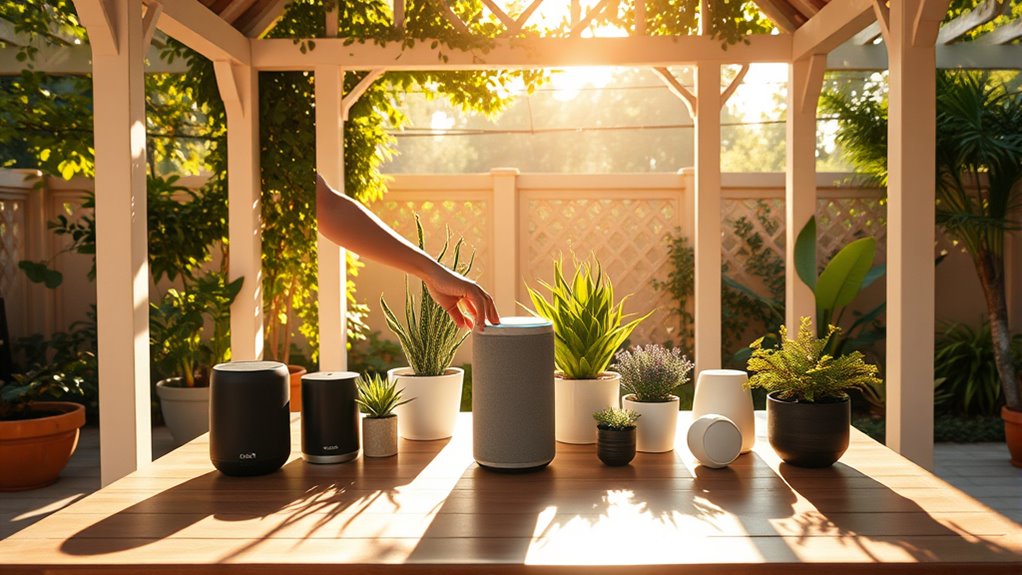
Setting up voice-control devices in your gazebo can transform how you enjoy your outdoor space. By selecting the right device and ensuring strong Wi-Fi connectivity, you can seamlessly integrate smart features. Imagine controlling your lighting and music with just your voice. However, there are specific steps to follow for a smooth setup, and understanding them is essential for peak performance. Let’s explore how to make your gazebo a smart outdoor haven.
Choosing the Right Voice-Control Device
When selecting the right voice-control device for your gazebo, what features should you prioritize? Start by considering device compatibility. Confirm the device can seamlessly connect with your existing smart home systems or other gadgets you own. This compatibility will offer you greater flexibility and control over your outdoor space. Next, think about user preferences. Do you prefer a device with a specific voice assistant or one that provides customizable options? Look for a device that aligns with your lifestyle and meets your specific needs. Also, check for features like weather resistance and ease of installation—these can greatly enhance your gazebo experience. Ultimately, you want a voice-control device that empowers you to enjoy your outdoor space without limitations.
Assessing Power Supply Options
When you’re setting up voice-control devices in your gazebo, it’s essential to take into account your power supply options. You can choose between battery-operated or wired solutions, each with its own pros and cons. Additionally, think about energy efficiency to guarantee your setup runs smoothly without wasting power.
Battery vs. Wired Options
Choosing the right power supply for voice-control devices in your gazebo can make a significant difference in functionality and convenience. You’ll want to weigh the pros and cons of battery versus wired options. Batteries offer flexibility and can be placed anywhere without the hassle of cords, but you’ll need to evaluate battery longevity. Frequent replacements can be inconvenient if you’re using your device often. On the other hand, wired options provide reliability, ensuring your devices are always powered without the worry of running out of juice. Think about your specific needs and usage patterns; if you value consistent performance, wired might be the way to go, while battery options offer the freedom to position devices creatively in your outdoor space.
Energy Efficiency Considerations
Although you might prioritize convenience in selecting a power supply for voice-control devices in your gazebo, energy efficiency is equally important. When evaluating power supply options, consider energy consumption as a key factor. Smart home integration can greatly enhance your efficiency. For instance, using energy-efficient devices can considerably reduce your electricity bill while still providing seamless connectivity. Look for power supplies that feature smart capabilities, allowing you to monitor and control energy usage remotely. This not only conserves power but also aligns with your desire for independence and sustainability. By investing in energy-efficient solutions, you’re not just optimizing your setup; you’re also contributing to a greener environment while enjoying the freedom that voice-control technology brings.
Ensuring Strong Wi-Fi Connectivity
To make sure your voice-controlled devices work smoothly in the gazebo, you need to focus on Wi-Fi connectivity. Start by considering the best router placement to maximize signal strength. If you find weak spots, signal boosters can help extend coverage effectively.
Router Placement Strategies
Placing your router effectively is essential for ensuring strong Wi-Fi connectivity in your gazebo. Start by selecting the right router type; models with dual-band or mesh capabilities can provide better coverage. Aim to position the router at least 5 to 7 feet off the ground. This placement height can help reduce obstacles and interference from furniture or plants, promoting a clearer signal. Make sure to keep it centrally located within your gazebo to maximize range. Avoid placing it near metal objects or thick walls, as these can block the signal. By following these placement strategies, you’ll enjoy seamless connectivity for your voice-control devices, allowing you to freely enjoy your gazebo space without interruptions.
Signal Booster Options
A reliable Wi-Fi connection is essential for maximizing your experience with voice-control devices in your gazebo. To guarantee strong connectivity, consider these signal booster options:
- Wi-Fi Extenders: They amplify your existing signal range, pushing Wi-Fi further into your gazebo.
- Mesh Wi-Fi Systems: These create a seamless network, allowing for consistent coverage without dead spots.
- Powerline Adapters: They use your home’s electrical wiring to extend the signal, making installation simple.
For installation tips, position your booster halfway between your router and gazebo for peak performance. Also, keep the device elevated and away from obstacles for the best signal range. With these enhancements, you can enjoy the freedom of voice-controlled convenience anywhere in your outdoor space!
Setting Up Smart Lights and Speakers
While setting up smart lights and speakers in your gazebo, it’s essential to think about the layout and functionality you desire. Start by selecting your smart lighting options; consider brightness levels and colors that enhance your outdoor ambiance. When positioning your lights, aim for even coverage to avoid dark spots. Next, focus on speaker placement. Ideally, place speakers in corners or elevated positions for peak sound distribution. Make sure they’re connected to your Wi-Fi network for seamless operation. Don’t forget to check compatibility with your voice-control devices, allowing you to adjust settings effortlessly. With these elements in place, you’ll create a vibrant, inviting atmosphere in your gazebo, perfect for relaxation and entertainment. Enjoy the freedom of controlling your space with just your voice!
Configuring Voice Commands and Routines
To guarantee your voice-controlled devices work seamlessly in your gazebo, start by configuring specific voice commands and routines that enhance your outdoor experience. Here are some tips for effective voice command customization and routine management techniques:
Ensure your voice-controlled devices enhance your gazebo experience by customizing commands and setting up convenient routines.
- Create personalized commands: Tailor commands to match your preferences, making them memorable and user-friendly.
- Set up routines: Program sequences of actions triggered by a single command, like “evening mode” that dims lights and plays soft music.
- Test and refine: Regularly evaluate your setup and adjust commands or routines based on your evolving needs.
Enhancing Outdoor Ambiance With Smart Features
Transforming your gazebo into a cozy retreat is easier than you might think, especially when you incorporate smart features that enhance the outdoor ambiance. Start by integrating ambient soundscapes, like nature sounds or soft music, that you can control with your voice. This creates a relaxing atmosphere for gatherings or solo moments. Next, focus on outdoor lighting; smart bulbs can adjust brightness and color, setting the perfect mood for any occasion. You can program them to shift from a warm glow during dinner to a vibrant display for celebrations. By combining these elements, you’ll not only elevate your outdoor experience but also enjoy the freedom of controlling your environment effortlessly. Embrace smart technology to craft your ideal retreat!
Troubleshooting Common Issues
Have you ever faced issues with your voice-controlled devices in the gazebo? You’re not alone, and troubleshooting common device malfunctions can be simpler than you think. Here are a few common problems you might encounter:
- Connectivity Issues: Verify your device is connected to Wi-Fi and within range of your router.
- Voice Recognition Errors: Try speaking clearly and ensure there’s minimal background noise.
- Power Supply Problems: Check that your device is powered on and batteries are charged or plugged in.
Frequently Asked Questions
Can Voice-Control Devices Work Offline Without Internet Access?
Yes, some voice-control devices can work offline, but their functionality is often limited. Surprisingly, about 30% of users prefer offline capabilities, highlighting the desire for freedom from internet reliance and showcasing device limitations in certain situations.
Are There Privacy Concerns With Using Voice-Controlled Devices?
Yes, there’re privacy concerns with voice-controlled devices. Data security is essential, and you should always guarantee user consent before sharing personal information. Staying informed helps you maintain control over your data and privacy.
How Do I Update the Firmware of My Voice-Control Device?
To update your voice-control device’s firmware, navigate to its settings menu, select ‘Firmware Update,’ and follow prompts. Troubleshoot any issues by checking device compatibility; outdated firmware can lock you out of new features.
What Are the Compatibility Requirements for Different Voice-Control Devices?
To guarantee compatibility, check your device specifications against compatibility lists provided by the manufacturer. These lists detail which systems or apps your voice-control devices can work with, allowing you to enjoy seamless integration and functionality.
Can I Use Multiple Voice-Control Devices in One Gazebo?
Yes, you can use multiple voice-control devices in one gazebo. Just guarantee proper voice control integration and device synchronization for seamless operation. This setup enhances your freedom, allowing you to control everything effortlessly.