
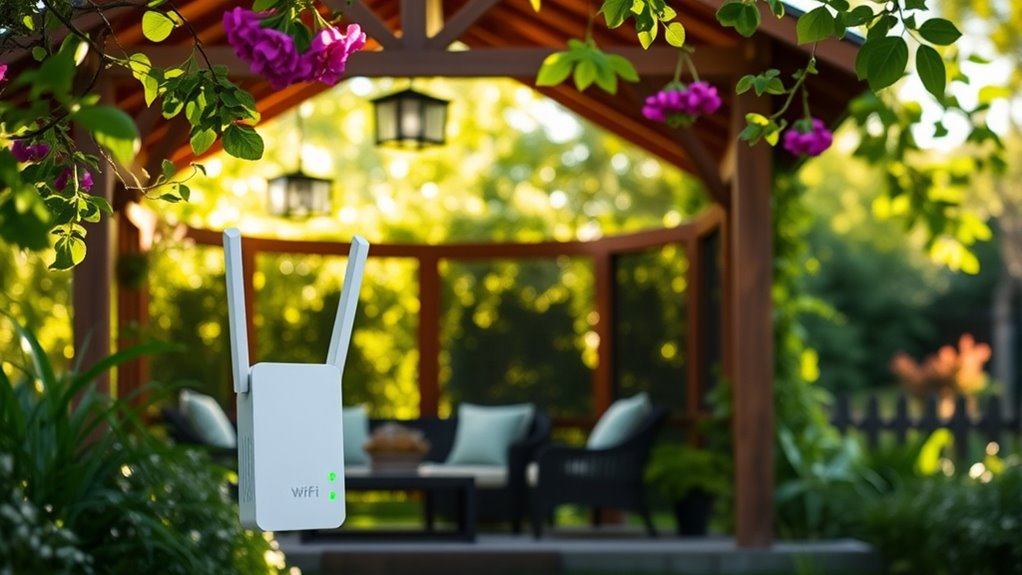
While enjoying the tranquility of your gazebo, a weak WiFi signal can quickly disrupt your peace. Finding effective ways to extend your WiFi coverage is essential for seamless connectivity. From using extenders to setting up a mesh network, there are several options to explore. Understanding your current signal strength and potential dead zones can make all the difference. Let’s take a closer look at how to enhance your outdoor internet experience.
Assessing Your Current WiFi Coverage
Before you plunge into extending WiFi to your gazebo, it’s essential to assess your current WiFi coverage. Start by checking the signal strength in various areas of your yard. Use a smartphone or laptop to walk around and note where the signal drops or weakens. These coverage gaps can hinder your online experience, so identifying them is vital. Consider using a WiFi analyzer app for a more detailed view of your network’s performance. This will help you pinpoint dead zones and understand how far your WiFi reaches. By knowing your current coverage, you’ll be better equipped to implement effective solutions to guarantee your gazebo is a comfortable spot for connecting with the digital world.
Using WiFi Range Extenders
If you’re looking to boost your WiFi signal in the gazebo, using a range extender can be a game-changer. You’ll want to take into account ideal placement to maximize coverage and guarantee compatibility with your existing devices. With the right setup, you can enjoy seamless connectivity while relaxing outdoors.
Optimal Placement Strategies
To guarantee you get the best WiFi coverage in your gazebo, it’s essential to strategically place your range extender. Ideal positioning can minimize coverage gaps and secure a seamless connection for all your devices. Here are some tips to reflect on:
- Height Matters: Place the extender at a higher level for better signal distribution.
- Central Location: Position it midway between your router and the gazebo for balanced coverage.
- Avoid Obstacles: Keep it away from walls, metal objects, and appliances that can interfere with the signal.
- Test Signal Strength: Use your device to check signal strength in various spots.
- Adjust as Needed: Don’t hesitate to experiment with different locations for the best results.
Follow these strategies for a reliable WiFi experience in your outdoor space!
Device Compatibility Considerations
Once you’ve positioned your range extender for ideal coverage, it’s important to take into account the compatibility of your devices with the extender. Start with a compatibility check to verify your devices meet the extender’s specifications. Most modern extenders support a range of devices, but some older gadgets may have issues connecting. Check for device specifications like WiFi standards (e.g., 802.11ac or 802.11n) to guarantee peak performance. If your devices are compatible, you’ll enjoy seamless connectivity in your gazebo, whether you’re streaming music or browsing the web. Remember, a little bit of research can save you from frustration later. So, embrace the freedom of reliable WiFi by verifying all your devices can play nice with your new extender!
Setting Up a Mesh Network
Setting up a mesh network can markedly enhance your WiFi coverage in a gazebo, especially if you want to enjoy seamless connectivity while relaxing outdoors. Here are some mesh network advantages and tips for a successful mesh network setup:
- Wider coverage: Eliminate dead zones by using multiple nodes.
- Easy expansion: Add more nodes as needed without complicated wiring.
- User-friendly: Most systems come with intuitive apps for easy management.
- Reliable connectivity: Nodes communicate with each other for consistent signals.
- Flexible placement: Position nodes where you need them most, like near your gazebo.
With a mesh network, you can enjoy the freedom of internet access throughout your outdoor space without interruptions.
Installing a Powerline Adapter
If you’re looking for a reliable way to extend your WiFi to your gazebo, a powerline adapter could be a great option. This device uses your home’s electrical wiring to transmit internet signals, making installation fairly straightforward. Let’s explore how powerline adapters work, the steps to install them, and their benefits and limitations.
Understanding Powerline Adapters
While you might think extending WiFi to your gazebo is a challenge, installing a powerline adapter can simplify the process. Powerline technology uses your existing electrical wiring to transmit data, offering excellent signal stability without the need for long cables.
Here are some benefits of using powerline adapters:
- Easy installation with minimal setup
- Utilizes existing electrical outlets
- Provides a more reliable connection than WiFi extenders
- Helps eliminate dead zones in your outdoor space
- Ideal for streaming and gaming in your gazebo
With these advantages, you can enjoy seamless internet access while relaxing in your gazebo. It’s a smart solution for anyone looking to enhance their outdoor experience without the hassle of complicated setups.
Installation Process Steps
Once you’ve decided to use a powerline adapter to extend your WiFi to the gazebo, getting it set up is straightforward. First, plug one adapter into a wall outlet near your router and connect it using an Ethernet cable. Then, plug the second adapter into an outlet in or near the gazebo. Make sure both adapters are on the same electrical circuit for peak performance.
Next, secure your cables with proper cable management to avoid clutter and reduce the risk of signal interference. Finally, press the pairing buttons on both adapters for a few seconds until the lights indicate a successful connection. That’s it! You’re ready to enjoy your extended WiFi in the gazebo without hassles.
Benefits and Limitations
Installing a powerline adapter to extend your WiFi to the gazebo comes with both benefits and limitations. While it can be a great solution, it’s crucial to understand what you’re getting into.
Benefits:
- Improved signal strength compared to traditional extenders.
- Easy installation—just plug and play.
- Utilizes existing electrical wiring, reducing clutter.
- Provides stable connectivity for devices like laptops or smart speakers.
- Cost-effective alternative to running new Ethernet cables.
Limitations:
- Can experience connectivity issues if the electrical circuit is overloaded.
- Performance may vary depending on the distance and wiring quality.
- Not ideal for very old homes with outdated wiring.
- Might require additional adapters for maximum coverage.
- Potential interference from other electrical devices.
Outdoor WiFi Antennas
If you’re looking to enhance your gazebo’s WiFi connectivity, outdoor WiFi antennas can be a game-changer. These antennas come in various types, each designed to meet specific needs. Here’s a quick overview of common antenna types you might consider:
| Antenna Type | Description |
|---|---|
| Directional | Focuses signal in one direction, great for long-range connections. |
| Omnidirectional | Disperses signal in all directions, ideal for general coverage. |
| Yagi | Highly directional, perfect for specific locations. |
| Panel | Compact and effective for targeted areas. |
| Dish | Long-range, highly focused signals for distance coverage. |
Choosing the right outdoor WiFi antenna can greatly improve your internet experience in the gazebo, allowing you to enjoy the freedom of seamless connectivity.
Creating a Dedicated Outdoor Access Point
Creating a dedicated outdoor access point can greatly boost your gazebo’s WiFi performance, especially when you’re looking to connect multiple devices or stream content seamlessly. Here’s how to set it up effectively:
- Choose the right access point types: Consider weather-resistant models for durability.
- Plan your outdoor wiring: Guarantee cables are buried or protected from the elements.
- Position the access point wisely: Mount it high for better coverage.
- Test the signal strength: Use a phone or laptop to guarantee good connectivity throughout.
- Secure the installation: Protect against unauthorized access with strong passwords.
Frequently Asked Questions
Can I Use My Existing Router for Outdoor Wifi Coverage?
Yes, you can use your existing router for outdoor WiFi coverage. Just make certain proper router placement and consider adding signal boosters to enhance coverage. This way, you’ll enjoy seamless connectivity wherever you are outside.
What Materials Can Block Wifi Signals in My Gazebo?
Wooden structures can absorb signals, while metal objects reflect them, creating interference. If you’ve got a gazebo filled with these materials, your WiFi signal might struggle to reach you, limiting your outdoor connectivity freedom.
How Far Can Wifi Signals Reach Outdoors?
WiFi signals can typically reach up to 300 feet outdoors, but actual outdoor range varies based on obstacles and signal strength. To maximize coverage, consider placement and minimize interference from walls or trees.
Do Weather Conditions Affect Outdoor Wifi Performance?
Weather’s like a fickle friend; it can dramatically impact outdoor WiFi performance. Rain, wind, and snow create signal interference, weakening your connection. So, when planning your setup, consider how weather conditions might play a role.
Is It Safe to Use Electronics in My Gazebo?
Yes, it’s generally safe to use electronics in your gazebo, but you should take safety precautions. Make certain proper electrical wiring is in place and consider weather-proof covers to protect devices from the elements.